
A West Riding mill ran on sound. The buzzer (the steam hooter on the
engine house roof, heard across the whole valley) was the one sound the
mill made on purpose. The buzzer is Shoddy's sound
device. The built-in words (Sound, NoteOn,
NoteOff, SoundQueue, SoundStop,
SoundGain, SoundWave) make the mill beep, hold,
and sing. This machine is the musical layer on top, written in ordinary
Shoddy. It gives you note names (NoteFreq("C4")) and MIDI
numbers (MidiFreq(69) is A 440). MIDI is the
standard numbering software uses for musical pitches. It also gives you a
Play word that reads a tune written in GW-BASIC's Music Macro
Language, a tiny text notation for tunes, such as
Play(1, "T120 O4 L8 C D E F G2"), and queues it, note
by note, onto a channel. There is no handle and no window: a console
program may beep, and a chord is three calls in a row.
Early computers were silent on purpose and noisy by accident. You could
hear the fans and the line printer. Operators learned to tell a
healthy run from a crashed one by the sound of the machine room, or
by parking an AM radio on the cabinet and listening to the interference. The
first deliberate computer sound was a speaker wired to a single bit. Flip the
bit fast enough and regularly enough, and the cone's clicks blur into a tone.
That is a square wave: the voltage is either on or
off, nothing in between. It is why every early machine from the PDP-1 to the
IBM PC had the same reedy, insistent voice. The PC's own speaker was exactly
this: one bit, toggled by a timer chip, no volume control. BASIC put a
friendly face on it. SOUND freq, duration came first. Then
IBM's BASICA and Microsoft's GW-BASIC added PLAY in the early
1980s, with its Music Macro Language
("T120 O4 L8 C D E F G2"), a tiny notation for tempo,
octave, length, and note. It let a schoolchild type in a tune from a
magazine. Shoddy's buzzer keeps both words and the notation. Its MML is a
faithful subset of GW-BASIC's, with one deliberate correction: octaves are
numbered so that O4 contains middle C, matching modern
scientific pitch. GW-BASIC's sat one lower.
Home computers of the same years did better than one bit. They carried
sound chips: the TI SN76489, the AY-3-8910,
Commodore's famous SID. Each chip offered a handful of independent
channels. A channel holds one tone at a time, and the chip mixes
the channels in hardware. A chip with three channels could play a chord, or
a melody over a bass line. The buzzer's eight numbered channels are exactly
this idea, kept because it is a good one. A channel is an address for a
note. A program can retune it, silence it, or queue more music onto it,
deterministically, without a heap of handles. What replaced the chips is
what runs underneath here: software mixing. Since the late 1990s the
machine's audio hardware just streams samples, and a library mixes any
number of voices in its own output thread. (The buzzer uses OpenAL, from
2000.) That is why the anonymous Sound pool can afford ~16
simultaneous blips where the SID owned exactly three.
One more inheritance, this time from music itself. Western tuning divides
the octave into twelve equal-tempered semitones: each step
multiplies the frequency by 21/12. The scale is anchored at
A = 440 Hz, an international standard since 1939. MIDI (1983)
numbered those semitones, calling A 440 note 69, and that numbering is
now how software talks about pitch. MidiFreq is the whole scheme
in one line: 440 * 2 ^ ((midi - 69) / 12).
Equal temperament comes out irrational, and the buzzer never rounds it.
Fractional MIDI numbers are legal, which is what makes the demo's mouse
glissando glide instead of step.
Sound is the cheapest feedback there is. A game wants a blip when the player jumps and a buzz when they fall. A long-running job wants to announce that it's done. A toy synthesizer wants to sing under the mouse. And some programs just want to play a tune, because playing a tune is a delight. Doing any of that from first principles means an audio library, a mixer, a thread, and a pile of format negotiation, none of which has anything to do with the program you were writing. The buzzer gives you the three things you mean, as one word each: beep now, hold this note until I say stop, and here is a tune, play it while I get on with something else. This machine adds the vocabulary music is written in: letters, octaves, and note lengths instead of hertz and milliseconds.
Everything in the API (the set of words this machine offers) falls out of one question: who owns a note's lifetime? There are three answers, and each gets its own words.
Sound(freq, ms) plays a blip from an anonymous pool of voices
and returns immediately. This is the word for game effects. If every voice
is busy, the oldest is quietly stolen, classic sound-chip behaviour:
never block, never error. A chord is three consecutive calls. They start
within microseconds, and the mixer does the rest.NoteOn(ch, freq) starts a note that has no duration: it sounds
until NoteOff(ch). This is a held key on a synthesizer.
NoteOn on a channel already holding a note retunes it
in place, with no re-attack, which is what a pitch bend or a
glissando (a smooth slide between pitches) wants.SoundQueue(ch, freq, ms) appends a note to a channel's queue.
Queued notes play strictly back-to-back, sample-accurately (timed to the
exact audio sample), with no further help from the program. A frequency of
0 is a rest. This is how you play a melody: hand the whole tune over and go
back to your event loop, the loop where your program waits for input.
(Do not drive a melody from timer ticks. Tick timing is for animation
and is audibly uneven for rhythm.)Channels are numbered 1–8 (Shoddy is 1-based
everywhere). They serve the second and third models; the anonymous pool
serves the first; they coexist. SoundStop(ch) silences a
channel now: it releases any held note and flushes any queue.
SoundGain(ch, vol) sets a channel's volume, 0–1, and is
sticky until set again. SoundWave(ch, wave) picks a channel's
timbre (its tone colour) the same sticky way: 0 square (the default),
1 triangle, 2 sine. This machine names them
WaveSquare/WaveTriangle/WaveSine.
Changing the wave re-voices a held note in place at its current pitch. The
anonymous pool always speaks square.
This machine turns music notation into those calls:
Include "buzzer.shoddy"

Def Main()
    Play(1, "T160 O4 L8 C E G > C4")    ' a jingle, queued and forgotten
    Sound(NoteFreq("A5"), 100)          ' one blip, by note name
    Sleep(2000)                         ' let it ring before Main returns
Play(ch, mml) parses a Music Macro Language string and
queues every note onto channel ch. It returns as soon as the
tune is queued, which is immediately. The MML subset is case-insensitive
and ignores whitespace:
| Notation | Meaning |
|---|---|
| C D E F G A B | A note. Optional # or + (sharp), - (flat); optional length number (4 = quarter, 8 = eighth…); optional trailing . (dotted, ×1.5). G2 is a half-note G. |
| On | Octave 0–8, default 4. Scientific pitch: O4 contains middle C. |
| < > | Octave down / up. |
| Ln | Default note length, default 4 (quarter notes). |
| Tn | Tempo in quarter notes per minute, default 120. |
| Pn Rn | A rest of length n (dotted allowed). |
| , | A quarter-note rest: always length 4, whatever Ln says. Handy between phrases: "L8 C C C, C C C". |
A whole note lasts 4 * 60000 / T
milliseconds, and a length-n note divides that. A malformed
string raises an error naming the offending position. (GW-BASIC's
MN/ML/MS articulation modes,
Nn, and per-note volume are deliberately left for later.)
A few things worth knowing:
mill run and mill dap (yes, sound works under the
debugger). Woven output run via bare dotnet, and any machine
with no audio device, is silent: every sound word there is a no-op
(a call that does nothing), never an error. This is the one deliberate
divergence from the scribbler, which fails
loudly when headless (when no display is attached). It must,
because a headless ScribblerWait would hang forever. Sound has
no wait, so silence is safe, and your tests never fail because the build
agent has no speakers.NoteOn onto a channel with a queue flushes the
queue; SoundQueue onto a channel holding a note releases the
note. The replacement is deterministic and your own choice. There are no
stealing heuristics on channels.The pure half and the noisy half. MmlNotes
takes an MML string in and gives a List Of BuzzerNote out. It
does no I/O at all, so scores parse, print, and test headless.
Play is nothing but SoundQueue folded over its
output. It goes via PlayNotes, which you can also feed a list
you built yourself. The parser is a chain of small tail-recursive words
(MmlRun, MmlCmd, MmlStep…;
the Mml-prefixed words are internal), where
tail-recursive means each word's last act is to call the next. They thread
octave, default length, and tempo through as arguments, the way a purely
functional language carries state: in plain sight.
The seam. The runtime validates arguments and calls
through six nullable delegates (BuzzerRegistry, following the
ScribblerRegistry precedent). A delegate is a slot holding a
function, and nullable means the slot may be empty. The mill installs them
at startup and owns the audio library entirely: OpenAL, which mixes
all voices in its own output thread. Null delegates are what "silent"
means: headless, every word validates and then does nothing. The audio
device opens lazily, on the first sound call, so a program that never beeps
never pays for one. If the device fails to open (a server, a container,
CI), the buzzer degrades to permanent silence rather than an error,
indistinguishable from headless, which is the point.
Three waves, softened. Notes are synthesized square
waves by default (the PC-speaker voice, on purpose) at a
deliberately modest amplitude, so that eight channels plus the effect pool
can sum without clipping (the harsh distortion when a mixed signal exceeds
what the output can carry). SoundWave swaps a channel to
triangle or sine. Those get proportionally more peak (about 1.5× and
1.9×), because at equal peak the gentler waves read much quieter to
the ear. The reason to swap at all is register. Below roughly 60 Hz a
square is perceptually a click train: on small speakers its
inaudible fundamental leaves only the edges. So deep bass wants sine or
triangle, and the square keeps its bright chip voice for everything else.
Each fixed-duration note bakes in a few milliseconds of attack and release
ramp; without them, every note edge clicks. Held notes loop a buffer of
whole periods, so the seam is phase-continuous, and a retune just changes
the playback pitch of the buffer already looping. That is why
NoteOn on a sounding channel glides with no re-attack, and why
a wave change can re-voice a held note mid-flight.
A note on names. The frequency word is
MidiFreq, never Freq.
stats already exports Freq, Shoddy
folds names case-insensitively, and both would land on FREQ.
The note record's fields are FreqHz and Ms for the
same reason: a Def outranks a record field accessor, so a program including
stats would silently break a Freq field. Small deliberate
choices, the kind that keep the useless useful. Shoddy by name.
The eight sound words the runtime dispatches: not defined here, documented here
These are not buzzer's Defs. The engine
dispatches them, and a Def whose name is a builtin is refused.
They are listed on this page because buzzer is the machine whose
domain they belong to (its own header has always named all eight), and they
need no Include. The same eight are documented in
machines/buzzer.shoddy's own header block.
Channels are 1 to 8, and all eight always exist. There is nothing to open and no handle anywhere in this family. That is what makes it the one device family a program can use without holding a resource. Frequencies are in hertz, durations in milliseconds.
Three note-lifetime models, and picking the wrong
one is the usual mistake. Sound is fire-and-forget from an
anonymous pool. NoteOn holds a note until NoteOff
releases it. SoundQueue lines notes up back to back on one
channel, sample-accurately. Play below is
SoundQueue over a parsed MML score.
Audible under mill run and mill dap.
Woven output run through bare dotnet, and any machine with no
audio device, is silent: every word here is a no-op there and
never an error. Bad arguments (channel 0, a negative duration, wave 3) still
raise in silence. Nothing here blocks, and nothing here can fail the program
for want of a speaker.
| Word | Description |
|---|---|
| Sound(freq, ms) | Play one tone for that long from the anonymous
pool, and return at once. This does not wait for the note to finish.
The pool speaks square waves only; SoundWave does not reach
it. |
| NoteOn(ch, freq) | Start a note on that channel and
hold it. Nothing stops it but NoteOff, another
NoteOn, or the program ending. |
| NoteOff(ch) | Release whatever NoteOn is holding on
that channel. |
| SoundQueue(ch, freq, ms) | Add a note to the end of that
channel's queue. It starts exactly when the one before it ends, which is what
makes a tune sound like a tune rather than a sequence of separate calls.
A freq of 0 is a rest. More than five minutes
queued ahead aborts. |
| SoundQueued(ch) | How many milliseconds are already queued ahead on that channel. The only way to see the five-minute cap coming, and so the way a long score paces itself rather than being refused half way. |
| SoundStop(ch) | Silence that channel and throw away whatever it had queued. |
| Word | Description |
|---|---|
| SoundGain(ch, vol) | Set that channel's volume. It stays until changed, and applies to notes queued after it as well as the one sounding. |
| SoundWave(ch, wave) | Set that channel's timbre: 0 square (the
default), 1 triangle, 2 sine. Sticky like the gain, and a held note
re-voices in place at its current pitch. Squares are bright and
chip-like, but below about 60 Hz they read as a click train, because the
edges are all a small speaker can voice, so deep bass wants sine or triangle.
WaveSquare, WaveTriangle and WaveSine
below are the names for this argument. |
Every word, plus the BuzzerNote type, over the sound builtins
| Word | Description |
|---|---|
| BuzzerNote | One note of a score: FreqHz (0 means
a rest) and Ms. What MmlNotes produces and
PlayNotes consumes. |
| Word | Description |
|---|---|
| Sound(freq, ms) | Fire-and-forget blip from the anonymous
voice pool. freq must be positive; ms ≥ 0 (0 is a
legal no-op). Pool full: the oldest blip is quietly stolen. |
| NoteOn(ch, freq) | Channel ch starts sounding
freq and holds it until NoteOff. On a channel
already holding a note: retune in place, no re-attack. On a channel with a
queue: the queue is flushed first. |
| NoteOff(ch) | Release channel ch's held note.
Nothing held: no-op. |
| SoundQueue(ch, freq, ms) | Append a note to channel
ch's queue; queued notes play strictly back-to-back,
sample-accurate. freq 0 is a rest of ms
milliseconds. Queueing onto a held note releases it first. More than five
minutes queued ahead raises. |
| SoundStop(ch) | Silence channel ch now: release
any held note, flush any queue. (The anonymous Sound pool is
not addressable and cannot be stopped.) |
| SoundGain(ch, vol) | Set channel ch's volume,
0–1, default 1. Sticky: applies to what's playing and everything after,
until set again. SoundStop flushes notes, not gain. The
anonymous pool always plays at full gain. |
| SoundWave(ch, wave) | Set channel ch's timbre:
0 square (default), 1 triangle, 2 sine, sticky like gain. A held note
re-voices in place at its current pitch; queued and future notes use the
new wave. The anonymous pool always speaks square. This machine names the
argument: WaveSquare(), WaveTriangle(),
WaveSine(). |
| Word | Description |
|---|---|
| MidiFreq(midi) | MIDI note number to frequency in Hz:
440 * 2 ^ ((midi - 69) / 12), A4 = 69 = 440 Hz, equal
temperament. Fractional numbers are legal (quarter-tones, pitch bends).
Nothing rounds. |
| NoteMidi(name) | Note name to MIDI number: "C4"
→ 60, "F#3" → 54, "Bb5" → 82. Scientific pitch:
C4 is middle C. Letters A–G, # sharp, b flat,
octave digit 0–8 required. A bad name raises. |
| NoteFreq(name) | Note name straight to Hz:
MidiFreq(NoteMidi(name)). |
| Word | Description |
|---|---|
| MmlNotes(mml) | Parse a Music Macro Language string to a
List Of BuzzerNote. Pure (no I/O), so scores parse
and test headless. A malformed string raises, naming the offending
position. |
| Play(ch, mml) | Queue every note of an MML string onto channel
ch. Fire-and-forget: returns as soon as the tune is queued,
which is immediately. |
| PlayNotes(ch, notes) | The queue half of Play,
for programmatically built scores: SoundQueue each
BuzzerNote in order onto ch. |
| User | How | |
|---|---|---|
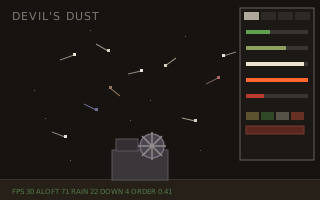 | devils-dust | The
machine-room drone (six held channels retuned every frame), plus
Play for the lever riffs. |
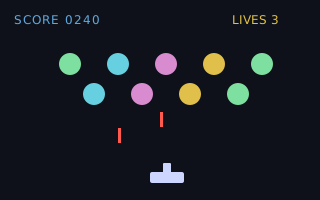 | invaders | Play
speaks MML: the pew and the boom are phrases. |
None. buzzer stands on the tone builtins alone. It used to include seq without naming a word from it.
 Shoddy · The Machines