keys takes the raw number that comes with a keyboard event and
tells you, in plain terms, which key was pressed. When a program using scribbler hears that a key went down, all it gets is
a bare code: 262, say, or 81. Codes like that are
no way to write readable game logic. ClassifyKey folds that
number into a friendly GameKey: 262 becomes
ArrowLeft, 32 becomes SpaceBar, a letter
or digit becomes a CharKey carrying its code, and anything else
becomes an OtherKey so nothing is ever lost. From there you can
match on the key by name, or ask "was that the Q key?" with
IsKey. It is a small, standalone translation layer. It includes
nothing else and depends on nothing else. It turns magic numbers (bare codes
whose meaning lives only in a comment) into something you would want to
read.
A keyboard has never sent letters. It sends switch closures. When IBM
shipped the PC in 1981, its keyboard reported "key number 16 went down" and
"key number 16 came up". It was entirely the software's business to decide
that key 16 meant Q, or, on a French layout, A. That
split between the physical key and the character it might mean turned out to
be the durable design. It is why layouts can be swapped in software. It is
why a game can bind "the key where W is", so the controls stay under the same
fingers on any keyboard. And it is why every windowing system since has kept
the two ideas separate: a key event carries a code for the switch, and, quite
separately, maybe a character. The bare numbers a scribbler event hands you
are that forty-five-year-old contract showing through.
ClassifyKey is the thin layer every keyboard-reading program has
needed since 1981: the table that turns switch numbers back into names a
human can match on.
Any program that responds to the keyboard (a game, a menu, a set of
hotkeys) has to answer the question "which key just went down?" Without help,
that means littering your code with numbers: If code = 262,
If code = 81, and a comment on each to remind you what it meant.
Get one wrong and the bug is silent and maddening. keys does that
comparing once, correctly, and hands you names instead:
Case ArrowLeft() reads like what it does. Reach for it whenever a
scribbler program needs to steer by the arrow keys, jump on the space bar, or
watch for a particular letter: the classic controls of anything interactive.
One distinction is worth getting straight, because keys sits
firmly on one side of it. This machine answers the physical-key
question ("the Left arrow went down", "the Q key went down"), which is what
navigation, hotkeys and game controls care about. It does not answer
the character question: "the user produced a
q". That is a different thing entirely, with keyboard layout,
Shift and international input already applied, and it belongs to scribbler's
ScribblerTyped event, not here. If you are moving a player around,
you want keys. If you are collecting text someone typed, you want
ScribblerTyped.
You feed ClassifyKey the raw code from a scribbler key event
and match on what comes back. Named keys have their own tags; letters and
digits arrive as CharKey, and you can pull the character out with
KeyGlyph or test for a specific one with IsKey.
Include "keys.shoddy"

Def Handle(code As Number)
    Let k = ClassifyKey(code)
    Select Case k
        Case ArrowLeft()
            Print("move left")
        Case ArrowRight()
            Print("move right")
        Case SpaceBar()
            Print("jump")
        Case Else
            If IsKey(k, "q") Then Print("quit")   ' matches the Q key
A few things worth remembering:
KeyGlyph of a letter is always a
capital. That is why IsKey upper-cases what you pass it:
IsKey(k, "q") and IsKey(k, "Q") both match the Q
key.KeyGlyph is empty for named keys. Only
CharKey stands for a printable glyph (a character you can see
on screen). The arrows, space, Enter and the rest return "", as
does anything unmapped. Match those by their names instead.OtherKey(code),
still carrying the original number, so you can handle or ignore it as you
like.ScribblerKeys
table: the number that rides along on a ScribblerKeyDown or
ScribblerKeyUp event. And its constructor names deliberately
avoid the ones vt100 uses
(KeyUp/KeyDown) and the Left/Right
string builtins, so you can include it alongside either without a clash.Every word, plus the GameKey type
| Word | Description |
|---|---|
| GameKey | The friendly key sum type (a value that is exactly
one of a fixed set of named cases): ArrowLeft,
ArrowRight, ArrowUp, ArrowDown,
SpaceBar, EnterKey, EscKey,
TabKey, BackKey, CharKey(Code) (a letter
or digit, carrying its raw code), and OtherKey(Code) (anything
unrecognised, carrying its raw code). |
| Word | Description |
|---|---|
| ClassifyKey(code) | Fold a raw ScribblerKeys code
into a GameKey. The arrows, space, Enter, Escape, Tab and
Backspace get their own tags; letters (65–90) and digits (48–57) become
CharKey(code); everything else becomes
OtherKey(code). |
| KeyGlyph(k) | The character a CharKey stands for:
"A".."Z" or "0".."9". Returns "" for the named keys and anything
unmapped. |
| IsKey(k, s) | True when k is the letter or digit
whose glyph is s. Case-insensitive: since physical letters report
uppercase, IsKey(k, "q") matches the Q key. |
| User | How | |
|---|---|---|
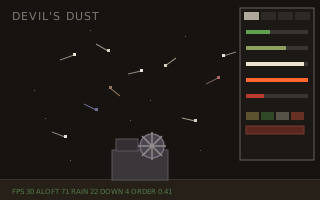 | devils-dust | ClassifyKey
turns raw codes into the panel's hotkeys and arrows. |
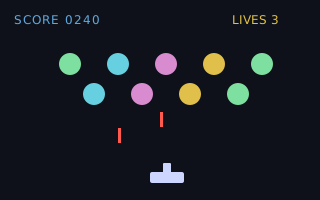 | invaders | ClassifyKey
reads the ship's controls. |
None. Standalone by design, built on the builtins alone, so a program may include it beside any other machine without a collision.
 Shoddy · The Machines