
matrix gives Shoddy a matrix: a grid of numbers in rows and
columns, the thing you drew in school algebra. It also gives you the everyday
operations that go with one: read a cell, change a cell, pull out a row or a
column, add two grids, multiply them, scale them, flip them on their side. A
matrix here is a small bundle: how many rows it has, how many columns, and one
long line of numbers holding all the cells. That last part is the trick. The
cells are not stored as a grid at all. They are laid out end to end, one row
after another, in a single flat list. Because they are stored that way, finding
the cell at row r, column c is a single sum and a
single lookup. No searching is involved. Every word here is pure:
MatSet and its friends never scribble on the matrix you handed
them. They hand back a brand-new one with the change made.
Determinants, inverses, solving A x = b,
rank, LU/QR/Cholesky and eigenvalues are lin.
(A determinant is one number that sums up a square matrix; an eigenvalue is a
number that says how much a matrix stretches things.) This machine owns the
type and its arithmetic. lin owns the algorithms that
ask questions of one. Include both when you need them. The split is what keeps
a program that only multiplies matrices from carrying an eigenvalue
solver.
A matrix is a two-dimensional thing, but a computer's memory is a one-dimensional thing. Memory is a long row of numbered boxes, one after another, with no notion of "up" or "across." So the very first question anyone building matrices on a computer has to answer is: how do you fold a grid down into a line? The answer that won, and kept winning, is simple. Write out the first row, then the second row right after it, then the third, and so on, until the whole grid is one long strip. That is row-major storage: rows laid end to end. (There is a rival, column-major, which lays the columns end to end instead. Fortran chose it back in the 1950s, and it still lingers in the numerical-computing world because of that head start. C, and most languages since, went row-major. That is the convention this machine follows too.)
Why does the choice matter so much that people still argue about it? Because
once you have picked a layout, finding any cell becomes pure arithmetic instead
of searching. In row-major, the cell at row r, column c
lives at position (r - 1) × columns + c in the strip. Count
past all the whole rows above it, then step across to the column you want.
No scanning, no bookkeeping: the same small cost whether the grid is
three-by-three or three thousand square. That single multiply-and-add is the
quiet engine underneath nearly all of dense linear algebra, matrix maths
where every cell is stored, zeros included. The classic number-crunching
libraries (BLAS and LAPACK), the array in NumPy, the buffer behind a game's
transform maths: all of them are, at bottom, a flat block of numbers plus a
rule for turning a row and a column into an offset. The idea is old, and it
never got replaced because there was nothing to replace it with. It is already
the most direct thing you can do. Everything fancy (cache tricks, block
algorithms, GPUs) is built on top of this same flat strip, not instead of
it.
This machine borrows exactly that. A grid is remembered as its dimensions plus one flat, row-major line of cells, and every cell lookup is the same one-line sum. No cleverness, nothing you could not have worked out yourself, which is the point.
Grids of numbers turn out to be almost everywhere once you start looking.
A page of a spreadsheet is a matrix. A photo is a matrix of brightnesses. The
rotation that spins a shape on screen is a matrix. So is the little system of
equations that says "three apples and two pears cost this much, one apple and
four pears cost that much, so what is an apple?" Solving those, transforming
those, combining those is what linear algebra is, and a matrix is the box you
keep the numbers in while you do it. Reach for matrix whenever a
problem is naturally a table of numbers rather than a single one: coordinates
to rotate or project, weights to combine, a set of linear equations to shuffle
around. It builds on seq for its list machinery
(Map, Fold, Range, ZipWith),
so the operations read like the maths they stand for.
You build a matrix from its dimensions and its cells, listed row by row,
the same order you would read them off the page. Mat(rows, cols, vals)
checks that you handed it exactly rows × cols numbers, and
it complains loudly if you did not. A grid with the wrong number of cells is a
bug you want caught now, not three operations later. Indexes are 1-based
throughout, like the rest of Shoddy: row 1 is the top row, column 1 is the
leftmost.
Include "matrix.shoddy"

Def Main()
    Let a = Mat(2, 3, { 1, 2, 3,
                        4, 5, 6 })

    Print(MatGet(a, 2, 3))          ' 6   — row 2, column 3
    Print(MatRow(a, 1))             ' { 1, 2, 3 }
    Print(MatCol(a, 1))             ' { 1, 4 }

    Let b = MatSet(a, 1, 1, 99)     ' a is untouched; b is the new grid
    Print(MatGet(a, 1, 1))          ' 1   — still the original
    Print(MatGet(b, 1, 1))          ' 99

    Let i = Ident(2)                ' the 2x2 identity
    MatShow(MatMul(i, a))           ' i times a is just a, printed row by row
    MatShow(Transp(a))             ' a flipped: now 3 rows, 2 columns

    Print(Dot({ 1, 2, 3 }, { 4, 5, 6 }))   ' 32 — a plain vector dot product
A few things worth remembering:
MatSet, MatAdd, MatScale,
Transp and the rest never change the matrix you pass in. They
return a fresh one. So the original is always safe to keep using, exactly like
a above staying 1 after b changed it to
99.MatMul needs
the first matrix's column count to equal the second's row count.
MatAdd needs both matrices the same shape. MatVec
needs the vector as long as the matrix is wide. If they do not match, the word
stops your program with a "DIMENSION MISMATCH" error rather than quietly
producing nonsense.Dot, VAdd, VSub,
VMul, VScale, Outer) and
MatVec work on ordinary Array Of Number values, not
on matrices. A row you pull out with MatRow is exactly that kind
of array, so it drops straight into Dot.MatShow is the
only word here that does anything visible: it prints the grid one row per
line. Everything else computes and returns, so it can be used deep
inside other expressions. Call MatShow from Main,
where effects belong.You do not need any of this to use the machine. It is here for the curious.
A Matrix is a plain record with three fields:
Rows, Cols, and Cells, where
Cells is an Array Of Number. The whole grid lives in
that one flat array, stored row-major: all of row 1, then all of row 2, and
so on to the end. Nothing in the value remembers "where the second row begins."
That is recovered by arithmetic whenever it is needed, from the Cols
count. Storing the dimensions alongside the cells is what lets the machine
check shapes before it works, and raise a clear Error when they
do not fit, instead of running off the end of the array.
Reading a cell is the heart of the whole design.
MatGet(m, r, c) is Nth(Cells(m), (r - 1) * Cols(m) + c).
Skip past the r - 1 whole rows above, then step across to
column c, and look that one spot up in the flat array. Because the
cells sit in a real array, that lookup is O(1): the same constant cost no matter
how big the grid is. No loop, no search, one multiply and one add.
Writing a cell keeps the purity promise.
MatSet computes the very same offset and calls SetNth,
which returns a new array with that one position replaced, leaving the old one
intact. That new array is wrapped back up with With into a new
Matrix. So a "change" is a copy with one difference, and
the matrix you started with never moves.
The bigger operations are all expressed as index arithmetic over
the flat strip. MatMul builds its result cell by cell.
It turns each output position k back into a row and column with a
divide and a modulo, then sums the matching row-of-a against
column-of-b products. Transp walks the output
positions and reads each from the transposed spot in the source.
MatAdd and MatScale do not even need the geometry.
Adding two grids or scaling one is working straight down the two flat
arrays with ZipWith and Map, because same-shaped
grids have their cells in exactly the same order. The flat layout is what makes
those the short, obvious one-liners they are. Shoddy by name.
Every word, plus the Matrix type
| Word | Description |
|---|---|
| Matrix | A grid of numbers: Rows and
Cols counts, plus Cells, one flat
Array Of Number holding every cell in row-major order (all of
row 1, then row 2, and so on). You will rarely build one by hand (use
Mat and friends), but this is what they hand back. |
| Word | Description |
|---|---|
| Mat(r, c, vals) | Builds an r×c
matrix from vals, a list of numbers given row by row. Stops the
program with an error if you did not supply exactly r × c
cells. |
| MatFill(r, c, v) | An r×c matrix
with every cell set to v. Handy for a grid of zeros to fill in
later. |
| Ident(n) | The n×n identity
matrix: 1s down the diagonal, 0s everywhere else. Multiplying by it leaves a
matrix unchanged, the way multiplying a number by 1 does. |
| MatFromRows(rs) | Builds a matrix from a list of rows, each row
being an Array Of Number. The number of rows and the width of the
first row set the dimensions. |
| Kron(a, b) | The Kronecker delta: 1 when
a equals b, 0 otherwise. A small number
helper (it is what Ident uses to place its diagonal), but it
stands on its own if you need it. |
| Word | Description |
|---|---|
| MatGet(m, r, c) | The number in row r, column
c. A single flat-array lookup: the same fast cost whatever the
size of the grid. |
| MatSet(m, r, c, v) | A new matrix, identical to m
but with row r, column c set to v. The
original m is left untouched. |
| MatRow(m, r) | Row r as a flat
Array Of Number, ready to drop into Dot or the
other vector helpers. |
| MatCol(m, c) | Column c as a flat
Array Of Number. |
| Word | Description |
|---|---|
| Dot(xs, ys) | The dot product of two equal-length number arrays: multiply them position by position and add it all up, giving a single number. |
| VAdd(xs, ys) | Adds two number arrays position by position,
giving a new array. The sibling of VSub. |
| VSub(xs, ys) | Subtracts one number array from another, position by position, giving a new array. |
| VMul(xs, ys) | Multiplies two number arrays position by position (the Hadamard, or elementwise, product), giving a new array. |
| VScale(xs, s) | Multiplies every element of the array
xs by the scalar s, giving a new array. |
| Outer(u, v) | The outer product of two vectors: a
Length(u)×Length(v) matrix whose cell
(i, j) is ui × vj. |
| Word | Description |
|---|---|
| MatMul(a, b) | The matrix product of a and
b. Stops the program with a "DIMENSION MISMATCH" error unless
a's column count equals b's row count. |
| MatAdd(a, b) | Adds two matrices cell by cell. Stops the program with an error unless they are the same shape. |
| MatSub(a, b) | Subtracts one matrix from another cell by cell,
dimension-checked the same way as MatAdd. |
| MatScale(m, s) | Multiplies every cell of m by the
scalar s, giving a new matrix. |
| Transp(m) | The transpose: m flipped over its
diagonal, so its rows become columns and its columns become rows. An
r×c matrix comes back
c×r. |
| MatVec(m, v) | Multiplies matrix m by the vector
v (a flat number array), giving a new vector. Stops the program
with an error unless v is as long as m is
wide. |
| Word | Description |
|---|---|
| MatShow(m) | Prints the matrix one row per line. The only word here that does anything visible; everything else returns a value. |
| User | How | |
|---|---|---|
 | cuttle | Matrix is the type CutMat carries; MatAdd, MatMul, Rows and Cols back its arithmetic and display. |
 | demographics | Kron
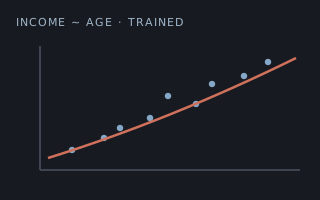
builds the one-hot state and politics inputs. |
 | iris | Kron
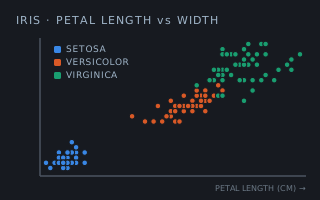
counts the confusion-matrix cells. |
 | lin | Every algorithm over the type: determinants, inverses, systems, rank, the LU/QR/Cholesky factorisations and eigenvalues. matrix owns the structure; lin owns what you ask of it. |
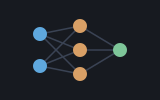 | neural | The algebra under
every forward and backward pass: MatVec, Outer,
Transp and the vector arithmetic. |
 | simplex | The tableau is
a matrix: Ident, MatFromRows, Dot,
MatVec. |
 | sparse | The dense bridges both
ways: SpFromMat reads a Matrix and SpToMat
builds one, so a mostly-empty grid can cross to the storage that suits it and
back again. |
| Machine | Why | |
|---|---|---|
 | seq | Flatten
and ZipWith build matrices from rows and stitch vectors
together. |
 Shoddy · The Machines