
mps reads a linear-programming problem (a cost to minimise
under a list of constraints) out of a text file, and hands it to you as a
ready-to-solve value. The file is in MPS format, a
plain-text way of writing down "here are my variables, here are my
constraints, here are the numbers" that solvers everywhere have understood
for half a century. You point this machine at such a file, and it gives you
back a Problem, the exact value the
simplex machine's Optimize expects. In
other words, mps is the loading dock and simplex is
the factory floor: one reads the order, the other fills it. There is nothing to
configure and nothing to write out by hand: LoadMps("thing.mps")
and you have a solvable problem. LoadMpsSp hands you the same
problem in sparse form for a big one, and
LoadMpsMip handles a file whose columns are marked as whole
numbers, which is mip's question rather than
simplex's.
MPS stands for Mathematical Programming System, and it was born inside IBM in the 1960s. IBM shipped a product called MPS/360 for its System/360 mainframes (a serious optimisation package for the serious optimisation problems that big companies were starting to throw at computers) and that package needed a way to feed a problem in. The file format it used took on the product's name, and the name stuck to the format long after the product itself faded away.
Like everything from the punch-card era, the original format was fixed-column: every field had to sit in an exact range of character positions on the line, because that is how a card reader parsed it. The name went in columns 5 through 12, the value in columns 25 through 36, and a digit that strayed a space to the left broke the file. It is rigid and it is fussy, and it is also still in use. Because MPS was the common tongue when the field was young, it became the shared language for exchanging linear-programming (LP) problems, and it never lost that role. The great public benchmark collections of linear programs are distributed in MPS. Nearly every commercial and open-source solver alive today (the ones running airline schedules and factory plans right now) can still read an MPS file. It is the COBOL of optimisation: like that old business language, nobody's first love, everybody's common ground.
Modern tools have quietly relaxed the worst of the fussiness into a free-format reading, where fields are simply separated by spaces or tabs rather than pinned to exact columns, and that is the dialect this machine reads. It keeps the parts of MPS that carry meaning (the section structure, the row senses, the columns-then-values layout) and drops the fixed columns. What comes out the other end is a plain Shoddy Problem, no mainframe required.
Linear programs have a way of getting large. A serious one might have
hundreds of variables and thousands of constraints, and nobody wants to type
that into a program as list literals. It also tends to come from
somewhere else: a modelling tool, a colleague, a textbook's example
set, a public benchmark library. That somewhere else almost certainly
speaks MPS, because MPS is the format the whole field settled on for passing
these problems around. So the useful thing mps does is meet your
problem where it already lives: in a file, in the one format everyone agrees
on. Read the file, get a Problem, solve it. Reach for
this machine whenever your problem is bigger than a toy, comes from an external
source, or simply deserves to live in a file of its own rather than buried in
your code.
An MPS file is a stack of labelled sections. A section
header (like ROWS or COLUMNS) starts hard against the
left margin, in column one. The data lines beneath it are indented. Blank lines
and lines beginning with * are comments and are ignored. Here is a
complete little file, the same two-food diet problem the
simplex page solves, written out in MPS:
NAME          DIET
ROWS
 N  COST
 G  BULK
 G  PROT
COLUMNS
    MEAT      COST      4.0   BULK      1.0
    MEAT      PROT      3.0
    BEAN      COST      2.0   BULK      1.0
    BEAN      PROT      1.0
RHS
    RHS       BULK      10.0  PROT      18.0
ENDATA
Read the sections top to bottom. ROWS names each row and gives
its sense: N is the objective (the thing to minimise, one
per file), G is a "greater-or-equal" constraint, L a
"less-or-equal" one, E an equality. COLUMNS lists the
non-zero numbers one variable at a time: MEAT contributes
4.0 to COST and 1.0 to BULK,
and so on. You may pack two row/value pairs onto one line, as the example
does. RHS gives each constraint's target. Anything you do not
mention is zero. Loading and solving it is two lines:
Include "mps.shoddy"

Def Main()
    Let p   = LoadMps("diet.mps")     ' read the file into a Problem
    Let sol = Optimize(p)             ' hand it straight to simplex

    Print(Status(sol))               ' OPTIMAL
    Print("cost " & Str(Cost(sol)))  ' cost 28
    Each(X(sol), Fn(v) => Print(Str(v)))  ' 4 then 6  (MEAT, BEAN)
A few things worth remembering:
A x >= Rhs, so the reader translates as it goes. A G
row passes straight through. An L row is negated to point the right
way. An E equality is split into a >= row and a
<= row that together pin it exactly. You never see this. You
get a Problem that means the same thing your file did.LoadMps to read from a path, or ParseMps if you already
have the text in hand. Their ...ZeroLower cousins do the same but
skip a BOUNDS section entirely, forcing every variable to the
plain x >= 0, which is the escape hatch when you want the
problem without the bounds the file states.BOUNDS section says things like "X is at most 3" or "Y is exactly
2", and in this machine's world (where everything is
A x >= Rhs) that is another constraint. So
LO becomes x >= l, UP becomes
-x >= -u, FX becomes both at once, and
BV (binary) becomes a ceiling of one plus a note that the variable
is an integer. Each is a row with a single number in it, which the sparse
assembly stores as a single number. They appear in the labels as
X.UP, Y.LO and so on, so a shadow price on a bound is
readable as such. PL states the default and does nothing.'MARKER'/'INTORG', or with a BV bound)
is asking a different question than a linear program answers.
LoadMpsMip and ParseMpsMip answer it, returning a
MipProblem. The plain words refuse such a file and name
those two, because reading it as a linear program would mean quietly dropping
the requirement that made it interesting.NAME, OBJSENSE, ROWS,
COLUMNS, RHS, BOUNDS, and
ENDATA. It does not silently mishandle the rest. A
RANGES section stops with a clear error. So do the bound types
that would let a variable go negative: MI, FR, and a
UP with a negative value, which in the wider MPS world quietly
means the lower bound is free. Every word here assumes
x >= 0, and answering as though it did not would be answering a
different problem. OBJSENSE may only say MIN. The
simplex machine minimises, and a maximise request is refused rather than
quietly flipped.LoadMpsModel and ParseMpsModel return an
MpsModel instead of a bare Problem: same problem,
plus the variable names and the constraint labels, so a reporting tool can say
"MEAT = 4" instead of "variable 1 = 4". Because an E row was split
in two, it shows up in the labels as its NAME+ / NAME-
pair, matching the two rows it became. There is a model word per flavour:
LoadMpsSpModel for the sparse problem and
LoadMpsMipModel for the integer one, all three carrying the same
two lists of names.You do not need any of this to use the machine. It is here for the curious, and for anyone debugging a file that will not load.
One fold over the lines. The whole parse is a single
left-to-right sweep. The text is split on newlines and folded through
Step, which carries a running record (MpsSt) of
everything seen so far: which section we are in, the objective's name, the row
senses and ids, the column names, every coefficient entry, and the right-hand
sides. A line whose first character is not a space or tab is treated as a section
header and switches the current section. An indented line is data and is handed
to the handler for whichever section is open. Comments and blank lines fall
straight through untouched.
Fields, not columns. Because this is the free-format
dialect, each line is chopped into Fields: tabs and carriage
returns turned to spaces, then split on spaces with the empties dropped. A
ROWS line is a sense letter and a name. A COLUMNS line
is a variable name followed by one or two row value pairs (three
tokens or five; anything else is an error). An RHS line is a run of
row value pairs, with an optional leading set-name that the reader
detects by counting. An even field count means the name was left off (as real
files sometimes do). An odd one means it is there and gets dropped. Numbers are
read with Val; the machine leans on the str
machine for the splitting and text work.
Sparse in, sparse out. MPS lists only the non-zero numbers,
one column at a time, which is exactly a list of
triplets, and that is what the assembly keeps.
AssembleSp turns each COLUMNS entry's row and column
names into indices. It applies the sense translation to the entry
rather than to a whole row: G keeps its number, L
negates it, E emits a second entry one row down, negated. Then it
appends one entry per bound row and hands the lot to SpFromEnts.
The objective is the row named by the first N. The right-hand
sides go through the same translation in lockstep, so row k of the
matrix and entry k of the vector always mean the same constraint.
Nothing is ever densified on the way. LoadMps and the other
dense words are the same assembly with SpToMat at the end: one
code path, dense only at the door, for the callers who want an ordinary
Matrix. It used to be the other way round. The reader
built full row vectors by walking every column name for every row and summing
the entries that mentioned both. That cost a scan of the entry list per cell,
and it produced a grid that was mostly the zeros the file had gone to the
trouble of not mentioning. Every word is pure: the loaders touch the disk to
read, the parsers touch nothing at all.
Every word, plus the three model types
| Word | Description |
|---|---|
| MpsModel(Prob, VarNames, ConNames) | A parsed problem together
with its labels, for reporting tools. Prob is the
Problem ready for Optimize;
VarNames is the list of variable (column) names in order;
ConNames is the list of normalised constraint labels: a
G or L row keeps its name, an E row
appears as its NAME+ / NAME- pair, matching the two
rows the equality became, and a bound appears as
VARIABLE.LO or VARIABLE.UP. |
| MpsSpModel(Prob, VarNames, ConNames) | The same, with
Prob an SpProblem for
SpOptimize. |
| MpsMipModel(Prob, VarNames, ConNames) | The same again, with
Prob a MipProblem for
MipOptimize. A file with no integer columns still parses to one of
these: it is a MipProblem with nothing to branch on,
which is how a reporting tool can read any file once and then decide which
solver it needs. |
| Word | Description |
|---|---|
| LoadMps(path) | Reads the MPS file at path and
returns a Problem ready for Optimize.
Reads BOUNDS as extra rows. Rejects RANGES, integer
files (naming the Mip words), the bound types that break
x >= 0, and non-MIN objectives, each with a clear
error. |
| LoadMpsZeroLower(path) | Same as LoadMps, but a
BOUNDS section is skipped rather than read, forcing the
plain x >= 0 on every variable. |
| ParseMps(text) | Same as LoadMps, but parses MPS
text you already have in hand instead of reading from
disk. |
| ParseMpsZeroLower(text) | Same as ParseMps, but forces
a zero lower bound and skips BOUNDS, like
LoadMpsZeroLower. |
| Word | Description |
|---|---|
| LoadMpsModel(path, zeroLower) | Reads the MPS file at
path and returns an MpsModel: the Problem
plus the variable names and normalised constraint labels. Pass
zeroLower as True to skip a BOUNDS section
the way LoadMpsZeroLower does, or False to reject
it. |
| ParseMpsModel(text, zeroLower) | Same as LoadMpsModel,
but parses MPS text in hand instead of reading from
disk. |
| Word | Description |
|---|---|
| LoadMpsSp(path) | Reads the file and returns an
SpProblem, the same problem with its constraints
left sparse, which is how the file states them and
what SpOptimize wants. Nothing is densified anywhere along the
way; the dense words are this one with a conversion on the end. |
| ParseMpsSp(text) | The same, from text in hand. |
| LoadMpsSpModel(path, zeroLower) | An MpsSpModel: the
sparse problem plus the names. |
| ParseMpsSpModel(text, zeroLower) | The same, from text in hand. |
| Word | Description |
|---|---|
| LoadMpsMip(path) | Reads the file and returns a
MipProblem: the problem, plus which variables the file
marked as integer, ready for MipOptimize. Integer columns are
those between an 'INTORG' and an 'INTEND' marker,
plus any given a BV bound. A file with none parses fine and
has nothing to branch on. |
| ParseMpsMip(text) | The same, from text in hand. |
| LoadMpsMipModel(path, zeroLower) | An MpsMipModel:
the integer problem plus the names. |
| ParseMpsMipModel(text, zeroLower) | The same, from text in hand. |
| User | How | |
|---|---|---|
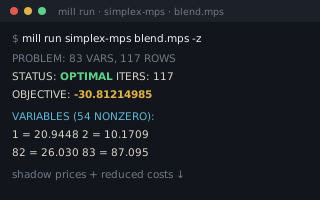 | simplex-from-mps | LoadMpsModel
is the whole front half of the mill: file to solved model, names
attached. |
| Machine | Why | |
|---|---|---|
 | mip | A file with integer
markers parses to a MipProblem, which is mip's type to
declare. |
 | seq | Contains tests a row name against the sections already seen, and IndexOf turns a name into the column it stands for. |
 | simplex | LoadMpsModel
builds exactly the problem Optimize consumes, and one
Include of mps brings the solver along. |
 | sparse | A COLUMNS section is
a list of triplets already, so SpFromEnts is the assembly and
SpToMat the bridge the dense words answer through. |
 | str | Split,
Replace and StartsWith parse the fixed-format MPS
sections. |
 Shoddy · The Machines